How to Turn Sentiment Scores Into Business-Specific
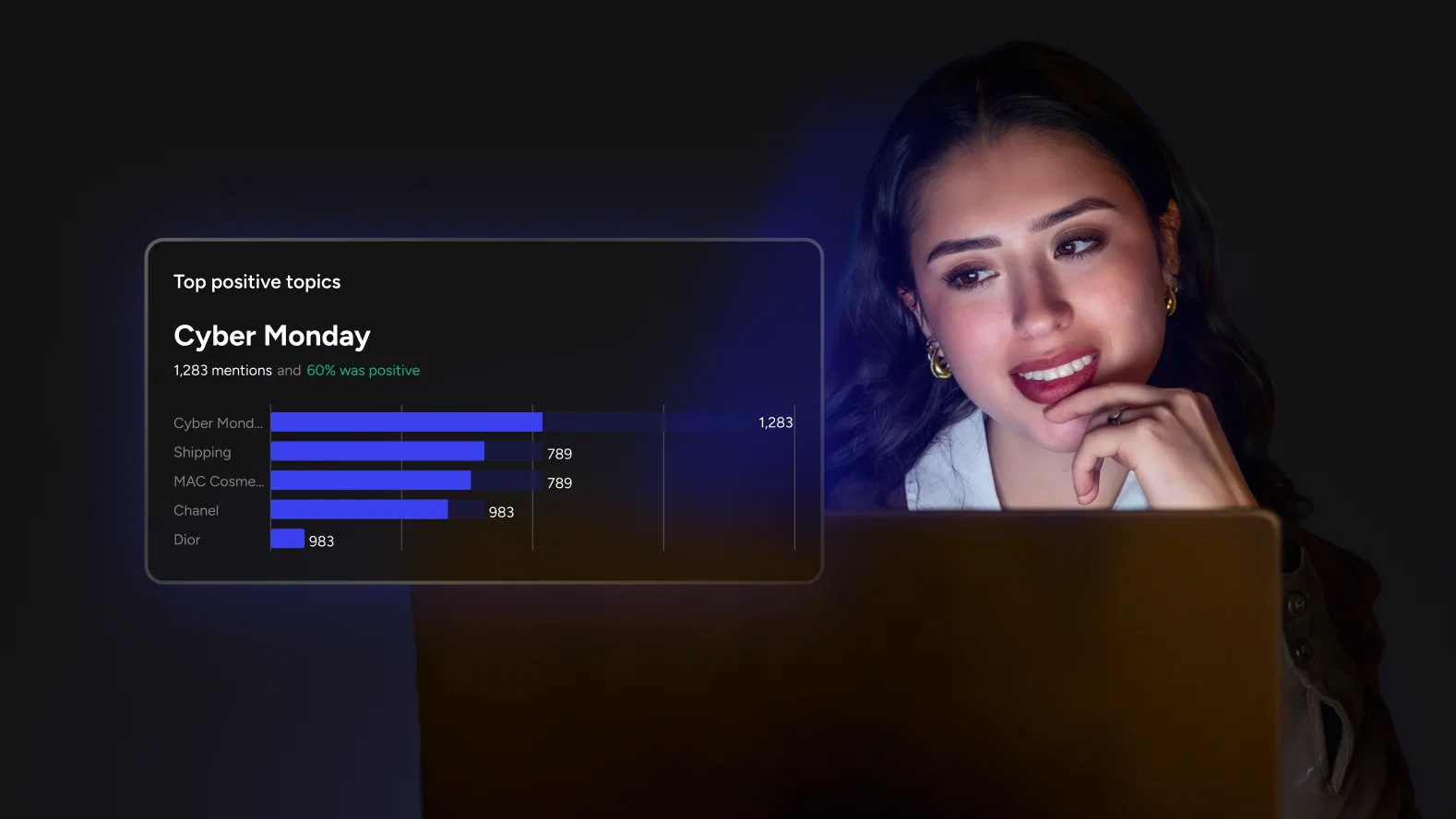
A sentiment score tells you whether a conversation is positive or negative. It does not tell you what the conversation is about, why it matters, or which team should respond. Closing that gap requires a system that speaks your business language, not just emotional polarity.
There is a moment in every community team's lifecycle where sentiment data stops being useful and starts being noise. The dashboard says sentiment is 68% positive. The weekly report says it shifted two points from last month. Someone on the team asks "positive about what?" and no one has a fast answer.
The problem is not that sentiment analysis is broken. The underlying signal detection works. The problem is that the output is organized around emotional tone when the team needs it organized around business context. "Negative" is not a category the team can act on. "Negative about pricing" is. "Negative about onboarding" is. "Negative about a feature that shipped last Tuesday" is.
This is the gap that custom categories, keyword configuration, and keyword-level sentiment override are designed to close. Together, they shift sentiment analysis from a reporting metric into an operational tool.
The translation problem every team hits
Sentiment analysis models are trained on language patterns, not business context. They are exceptionally good at detecting whether language carries a positive, negative, or neutral tone. They are not designed to know what "expensive" means for a freemium community versus an enterprise platform, or why "complicated" might be a compliment in a developer community discussing a powerful new API.
This creates a translation layer that sits between the data and the decision. Every time a team looks at a sentiment report, someone has to mentally map generic categories back to what the business actually cares about. Is there a negative spike about pricing? Product quality? A recent policy change? Support response times? The score does not say, so the team investigates manually, loses time, and often moves on before reaching a clear answer.
Custom categories eliminate that translation layer by letting teams define the analytical framework upfront. Instead of receiving data in the model's language and converting it to the team's language, the data arrives pre-organized around the questions the team already asks.
Defining categories that match how your team thinks
The configuration starts with a question that has nothing to do with technology: what does your team actually want to know about how users feel?
For a product-led community, the answer might be: how users feel about pricing, about feature completeness, about onboarding, and about reliability. For a media or content community, it might be: content quality, community moderation, event experience, and creator support. For an education platform, it might be: course difficulty, instructor feedback, platform usability, and peer interaction quality.
Each of these becomes a sentiment category. Admins create them directly, name them in plain language, and the taxonomy immediately shapes how new sentiment data gets organized. There are no predefined templates to start from and no rigid structures to work around. The categories are whatever the team needs them to be.
Three to five categories is a practical starting point. Resist the urge to build an exhaustive taxonomy on day one. A lean set that the team reviews weekly will generate better insight than a comprehensive set that no one checks. Categories can be added, renamed, or removed at any time as the community and the team's questions evolve.
Keywords turn categories from labels into filters
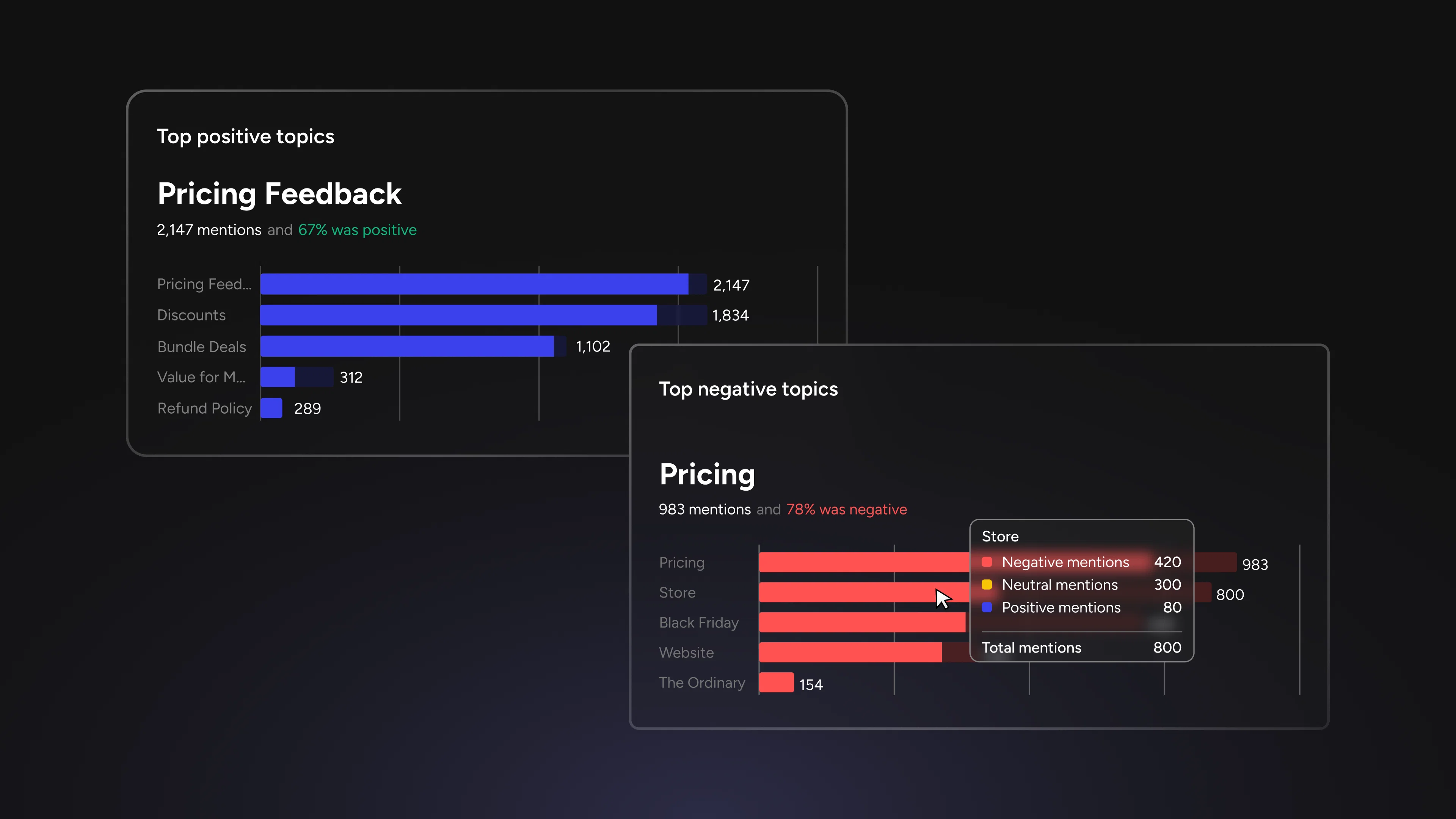
A category without keywords is a folder without a filing system. The category "Pricing feedback" exists, but the system does not yet know which conversations belong in it.
Keyword sets solve this. Each category gets its own list of terms and phrases that signal relevance. For "Pricing feedback", that might include "expensive", "cost", "subscription", "value", "free tier", "renewal", "worth it". For "Feature requests", it might include "wish", "missing", "should add", "would be great if", "need", "looking for".
When sentiment analysis runs on new comments, keywords match route signals into the appropriate categories automatically. This is not retroactive tagging. It is an active classification happening as new data enters the system. Over time, the dataset builds around the team's framework rather than the model's defaults.
The value of careful keyword selection compounds quickly. A well-chosen keyword set for "Onboarding experience" captures frustration signals from new users that would otherwise blend into the general noise. A keyword set for "Competitive mentions" surfaces comparisons the community is making without the team needing to search for them. Each keyword is a small investment in analytical precision that pays out on every subsequent analysis.
Communities with specialized vocabulary benefit the most. Gaming communities, developer ecosystems, healthcare platforms, and financial services communities all have terms that carry different sentiment weight than general language models assume. "Nerf" in gaming is negative. "Aggressive" in a trading community can be positive. Custom keywords give the system the context to interpret these correctly.
When the score needs a human perspective
Even with well-configured categories and keywords, there will be moments where the automated sentiment assignment does not match what the team knows. Language is contextual, and context shifts constantly. Sarcasm, evolving slang, community inside jokes, and industry-specific idioms all create gaps between what a model reads and what a human with community context understands.
Keyword-level sentiment override addresses this without requiring the team to wait for a model update or accept an inaccurate reading. From the Analyzed Threads tab, selecting any post reveals the topics and keywords detected alongside their sentiment assignments. If a keyword's sentiment is wrong for the community's context, the team can set it to positive, neutral, or negative directly.
The override persists until it is manually removed. This is an important design decision. It means the correction is not a one-time fix on a single post but a standing refinement that applies to future analysis involving that keyword. When a team overrides "sick" from negative to positive because their community uses it as high praise, every subsequent comment containing "sick" benefits from that context.
Override indicators stay visible in analytics. Any team member reviewing sentiment data can see where human refinement has been applied, which prevents confusion and keeps the analytical record transparent.
Context notes are the most underused part of the workflow
Each override includes an optional context note, and it is the feature most teams overlook at first and value most over time.
A context note is a short explanation of why the override was made. "Community slang for impressive." "Sarcasm common in this thread format." "Keywords used positively when discussing competitor alternatives." These notes take seconds to write and solve a problem that surfaces weeks later: someone new to the team sees an override, does not understand the reasoning, and either removes it or makes a conflicting change.
For teams with multiple community managers working across time zones, shifts, or regional communities, context notes prevent drift. They create a shared record of how the team interprets language that the model cannot parse on its own. Over months, this record becomes a reference that carries institutional understanding of the community's evolving vocabulary.
From configuration to compounding insight
The real shift happens after the initial setup, once the system has been running with custom categories, keyword sets, and overrides for a few weeks. At that point, the data is no longer generic sentiment organized by time. It is business-specific insight organized by the dimensions the team defined.
A weekly review looks different. Instead of "sentiment is 72% positive, up 2% from last week", the report shows: "Pricing feedback sentiment dropped 8 points after the plan change announcement. Feature request sentiment is steady. Onboarding sentiment improved 5 points since the new flow launched." Onboarding is especially worth isolating as its own signal. Recent product onboarding benchmarks found that 63% of teams use interactive demos at this stage of the customer journey, while 81% report a high or very high impact on onboarding and adoption. Each category tells its own story. Each story points to a different owner and a different response.
This is what separating tone from meaning makes possible. The model still does the heavy lifting of reading thousands of comments and assigning sentiment. But the framework that organizes the output is the team's framework, built from the team's vocabulary, refined by the team's judgment, and structured around the team's decisions.
The taxonomy is not a static configuration. It is a living artifact that reflects how well the team understands its community. The categories they add, the keywords they refine, the overrides they apply, and the context notes they leave behind are all expressions of accumulated understanding. Over time, that understanding compounds into an analytical layer that no out-of-the-box model can replicate, because it encodes something the model was never trained on: what this specific community, with these specific users, cares about right now.
Custom sentiment categories, keyword configuration, and keyword-level override are available now in social.plus Sentiment Analysis. Start with the three questions your team asks most often, build categories around them, and let the data organize itself around what actually matters.