
Most moderation problems are not about a single post. They are about who posted it, how often, and what has already happened around it. Moderation rules let your team describe that context and decide exactly how the platform should respond.
A single default threshold treats every app the same. The same score that removes a post in a recovery-focused wellness app also removes a joke in a gaming chat, and the same response lands on a first-time borderline post and a coordinated spam run. Teams usually respond to this by moderating harder or by moderating less, and neither fixes the real issue, which is that the moderation is not specific enough.
Moderation rules solve this by letting the people who run the app day to day define what matters in their own context. A good rule names a behavior precisely, responds in proportion, and gets checked before it touches a real user. This guide covers how to build one, then walks through rules that work well in five different kinds of apps.
The three parts of every moderation rule
Every rule has the same anatomy, and getting each part right matters more than the number of rules you write.
- Scope. What the rule watches: posts, comments, messages, users, images or live streams. Scope comes first because it decides which conditions and responses are available. A rule about posting speed makes sense on messages; a rule about report counts makes sense on posts.
- Conditions. The signals that must be true for the rule to fire, combined with AND, OR and NOT.
- Response. What happens when the rule matches, from a flag to a ban, plus optional extras such as logging a reason or notifying the user.
Each rule also has a state: Active, Test or Inactive. That state is what lets your team build a rule with confidence instead of hoping it behaves.
Start with the behavior, not the keyword
The most common mistake is opening the builder and reaching for a keyword list. Keywords are one signal among many, and they are the easiest for a determined bad actor to route around. A better starting point is a single sentence that describes the behavior you want to handle: "new accounts posting links", "users who keep getting flagged", "reported posts that sit in the queue too long".
Once the sentence exists, map each part of it to a condition. The conditions fall into four families:
- What was posted: keywords and blocklists, links to domains outside your allowlist, topics, and, for teams using AI Moderation, AI harm categories above a sensitivity you choose.
- How it was posted: posting speed and unusual comment activity.
- Who posted it, and their history: account age, flags across posts, comments and messages, and report counts.
- Who should be left alone: user role, typically used with NOT so staff and hosts are never caught by a rule meant for everyone else.
The behavior families are where rules earn their keep. Twenty messages in five minutes from an account that is two days old is a pattern no single-message check will ever see, because each message looks harmless on its own.
Use AND to narrow, OR to widen, NOT to exempt
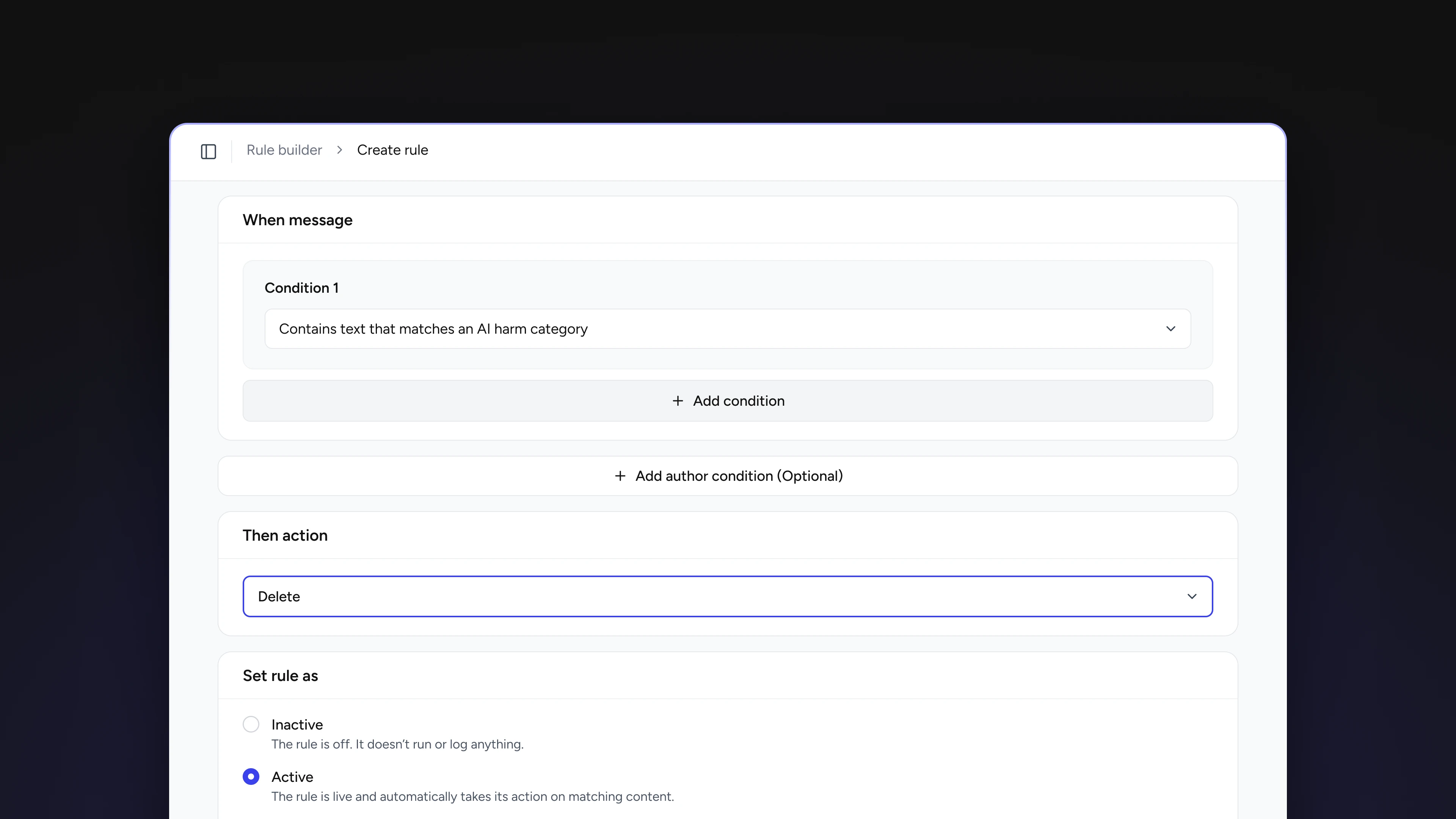
AND makes a rule more precise: a promo link is suspicious, but a promo link from an account under 14 days old is far more likely to be spam. OR makes a rule broader: three or more reports OR more than 24 hours unreviewed both mean a post needs attention. NOT carves out exceptions, most often for staff roles.
When a rule catches too much, the instinct is to raise a threshold. Adding an AND condition is often the better fix, because it describes the behavior more precisely rather than just making the rule less sensitive. Each rule supports one level of grouping and around 10 conditions, which is plenty for a focused rule. If a rule needs more than that, it is usually two rules, and two focused rules with different responses are easier to test, explain and adjust than one sprawling one.
Ready to build your first rule? The [Rule Builder documentation]([DOCS LINK]) covers every condition and response in detail.
Choose the lightest response that solves the problem
Not every violation deserves a ban. The available responses range from flag and hide through mute, chat ban, community ban and global ban, to delete and end a live stream. Each can also log a reason, notify the user, send the case to a moderator for review, or set a cooldown.
A useful habit is to pick the lightest response that fully solves the problem, then ask what you would need to see before going further:
- Flag when you want visibility without changing anything for the user.
- Hide and send to a moderator when the content is uncertain and a person should make the call.
- Mute when the behavior is the problem rather than any single piece of content, such as flooding a chat.
- Delete or ban when the signal is unambiguous, ideally after a lighter version of the same rule has proven itself.
Logging a reason and notifying the user cost nothing and change how a response lands. A user who is told why they were muted can adjust. A user who is silently penalized usually just gets frustrated, and your moderators lose the record they need when the same account comes back.
Test the rule, then switch it on
A new rule starts in Test, where it runs against live content and every trigger is logged in the moderation history, marked as Test mode, without any action applied. Your team sees exactly what it would catch before it acts on anyone. The question to ask of the results is not only "did it catch the spam?" but also "would I stand behind every one of these decisions if it had acted?" If real, well-meaning users appear in the results, tighten the conditions before going live. Once the results look right, switch the rule to Active. Rules that only matter at certain times, such as a seasonal campaign or a tournament, can be set to Inactive and switched back on later without being rebuilt.
Good rules for five kinds of apps
The building blocks are the same everywhere. What changes is the behavior that matters and how firmly to respond. These rules are starting points to adapt, not settings to copy.
Fitness and wellness: let people make the grey-area calls
Wellness apps deal with sensitive topics where an automatic removal can do more harm than the post itself. A post about extreme dieting may be harmful, or may be someone asking for help.
- Scope: posts and comments
- Conditions: AI harm category above a threshold your team sets
- Response: hide, send to a moderator for review, log the reason
The content leaves public view straight away, but a person decides what happens next. Conditions based on AI harm categories are available to teams using AI Moderation.
Retail: catch repeat offenders before they escalate
In retail apps, the problem is often not one bad post but one user who keeps crossing the line across product discussions and comment threads. Tracking that by hand usually means a spreadsheet outside the platform.
- Scope: users
- Conditions: five or more flags across surfaces within seven days
- Response: send to a moderator for review, log the reason
The rule does the tracking, and the moderator receives a ready-made case for a decision on a ban rather than discovering the pattern by accident.
Travel and marketplaces: keep reported content from lingering
On review and listing platforms, a reported post that stays visible while it waits in the queue keeps doing damage, especially if the queue is busy.
- Scope: posts
- Conditions: three or more reports, OR unreviewed for more than 24 hours
- Response: hide until a moderator reviews it
The OR is what makes this rule work: it covers both the post that draws reports quickly and the one that simply waits too long.
Media and entertainment: protect the moment a post goes viral
A viral post draws a sudden wave of comments, and link spam tends to follow. The comment section is busiest exactly when moderators have the least time to watch it.
- Scope: comments
- Conditions: comment contains a link AND unusual comment activity on the post, NOT staff roles
- Response: flag for review
Flagging rather than deleting fits here, because most links during a spike are legitimate and the goal is visibility, not removal. The NOT condition keeps your own team's replies out of the queue.
Gaming and live events: slow down chat flooding
Live chat moves fast, and flooding is about pace more than content.
- Scope: messages
- Conditions: more than 20 messages in five minutes, NOT host or staff roles
- Response: mute, notify the user
Set the posting-speed threshold above your genuine peak, not your quiet average. Real fans type fast during the biggest moments, and a threshold tuned on a slow afternoon will mute them at exactly the wrong time.
Where to start
Pick the one behavior your team currently handles by hand most often, write it as a sentence, and build a single rule for it with the lightest response that would help. Run it in Test, read the results with the question "would I stand behind each of these?", and only then switch it on. One well-tested rule teaches your team more about your own app than ten rules written at once.
The Moderation Rule Builder is available in the social.plus Console on every network.
Learn more about building rules, or Contact our team for questions or help setting up your first rules.