Retention rate is the percentage of users who return to an app after a defined period, such as 1, 7, or 30 days after they first installed it.
What is Retention Rate?
Retention rate typically gets tracked as a curve across several intervals, such as day 1, day 7, and day 30, rather than as a single number, because the shape of the curve shows whether users are settling into a habit or steadily drifting away. Teams commonly split retention into new-user retention, measured from install, and resurrection or returning-user retention, which tracks users who lapsed and came back, since the two respond to different product changes. A key variant is rolling retention, which counts a user as retained if they return on or after the target day rather than exactly on it, giving a more lenient and often less noisy read for apps used a few times a week rather than daily. One caveat teams run into is comparing retention across cohorts of very different sizes or acquisition sources without adjusting for the mix, which can make a change look like a retention win when it is really a shift in who was acquired.
Why Retention Rate Matters
Acquisition brings users in; user retention determines whether that spend produces anything. An app that retains 40 percent of new users at day 30 needs half as many installs as one that retains 20 percent to reach the same active user base, which directly changes the economics of every marketing channel. Finance and growth teams use retention rate to set acceptable acquisition costs and to forecast revenue.
Retention rate is also the clearest signal of product value. Users return when the app solves a recurring need or when other people they care about are there. Product teams read retention curves to find the point at which users decide the app is worth keeping, and they design onboarding, notifications, and social features around getting users to that point.
How to Calculate Retention Rate
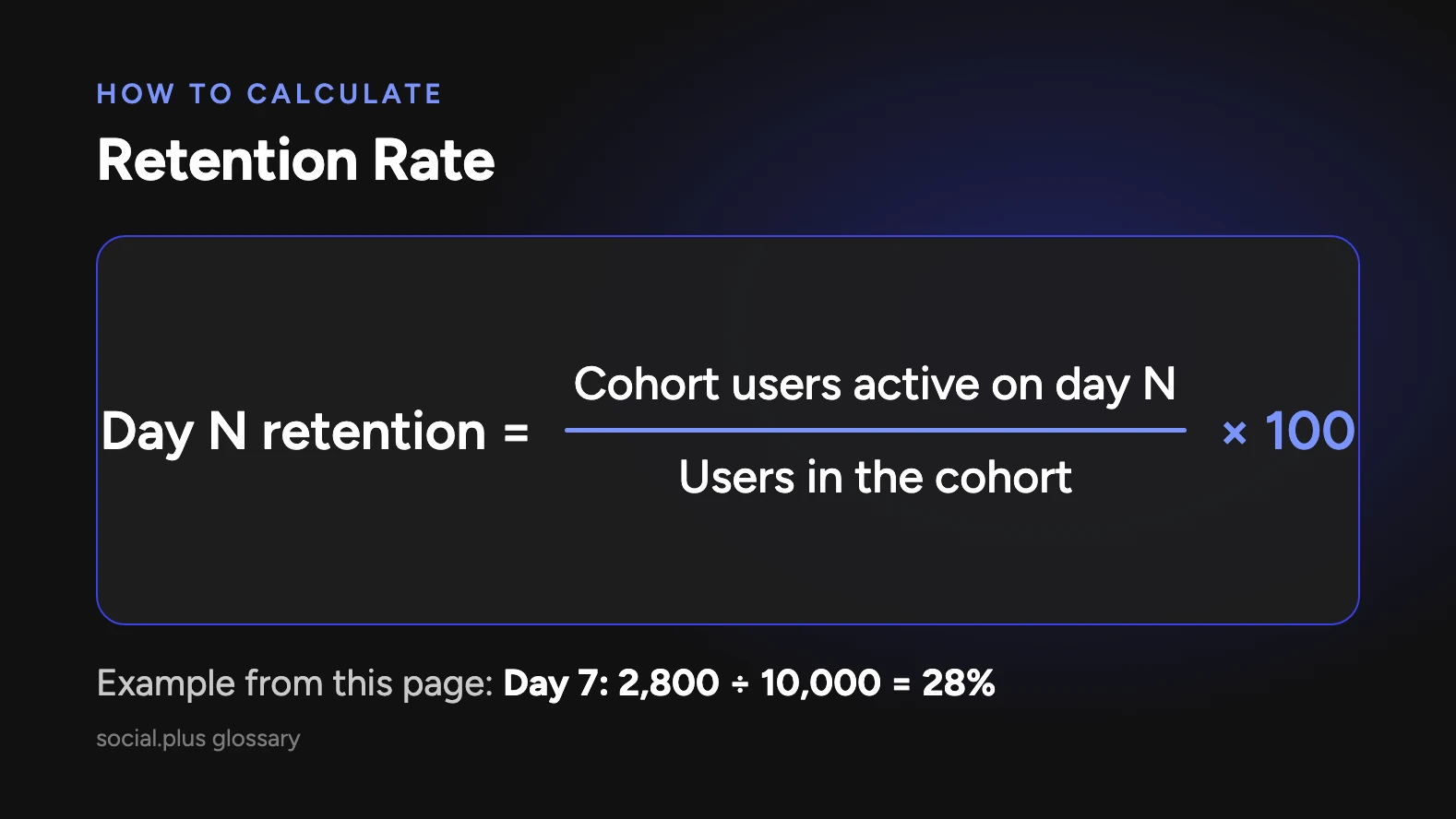
Retention rate is calculated for a cohort of users who started in the same period, measured at a fixed interval after the start. The standard formula is the number of cohort users active on day N divided by the number of users in the cohort, multiplied by 100. The table below shows the intervals most teams track and what each indicates.
| Interval | Formula | What it indicates |
|---|---|---|
| Day 1 retention | Users active on day 1 / cohort size x 100 | Onboarding quality and first impression |
| Day 7 retention | Users active on day 7 / cohort size x 100 | Whether a habit is forming |
| Day 30 retention | Users active on day 30 / cohort size x 100 | Long-term product fit |
| Rolling retention | Users active on or after day N / cohort size x 100 | Lenient view that counts any later return |
| Range retention | Users active in week or month N / cohort size x 100 | Smoother view for low-frequency apps |
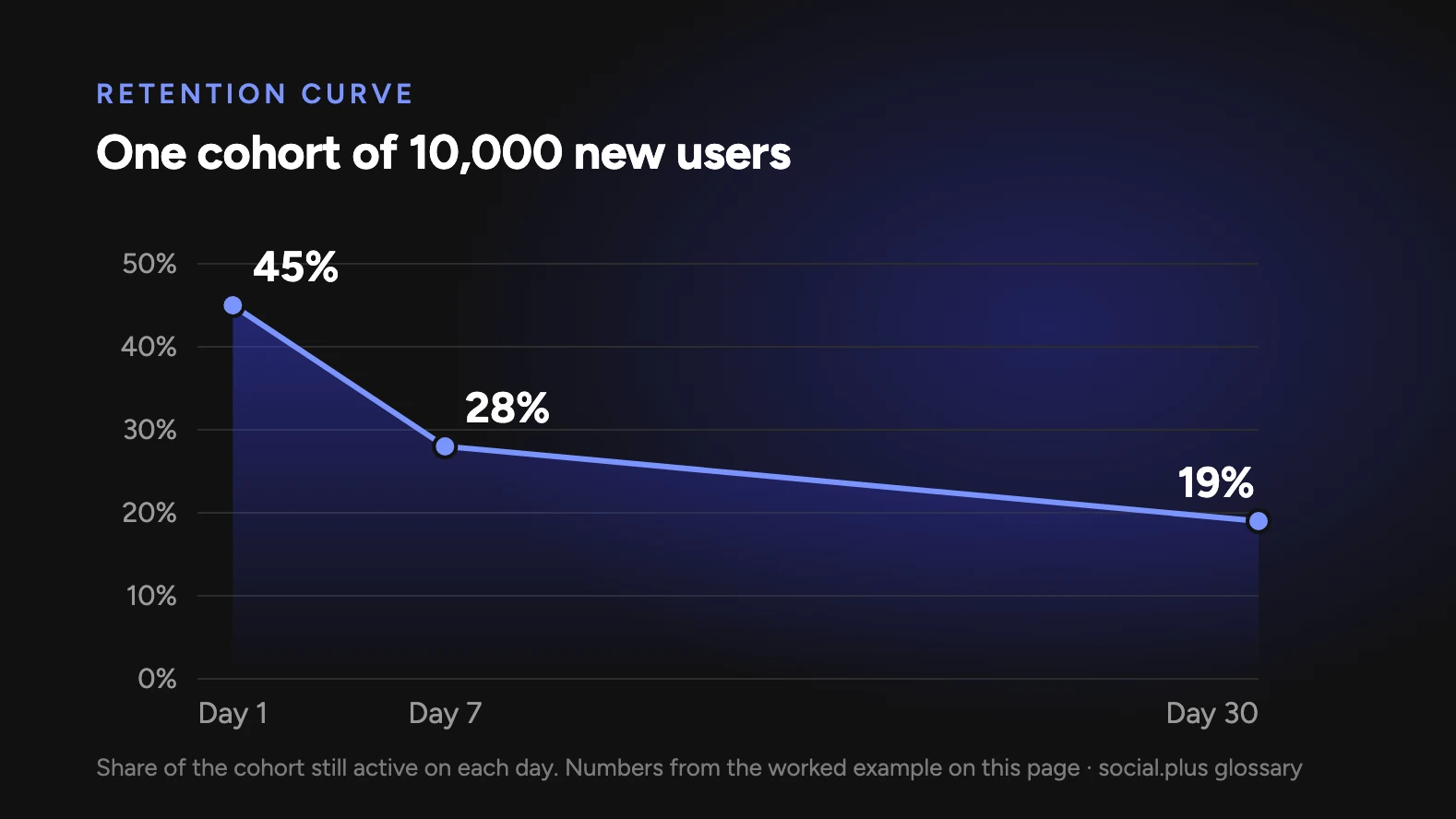
A worked example: a fitness app acquires 10,000 new users in the first week of March. On day 1, 4,500 of them open the app again (45 percent). On day 7, 2,800 are active (28 percent). On day 30, 1,900 are active (19 percent). Plotting these three points gives the cohort's retention curve. If the curve flattens after day 30 rather than continuing to fall, the app has found a core of committed users; if it keeps sliding toward zero, the product is not yet holding people.
Comparing cohorts is where retention analysis pays off. If the team adds group challenges in April and the April cohort shows day-30 retention of 24 percent against March's 19 percent, the feature is associated with a 5-point lift. A controlled test that gives half of new users access to groups isolates the effect from seasonality and marketing changes.
Retention Rate and social.plus
social.plus provides engagement infrastructure for consumer apps, and retention rate is the metric most directly affected by that infrastructure. Feeds, groups, chat, live streaming, and stories give users a reason to return that does not depend on a new transaction or a marketing message: other people are there. Brands using social.plus typically see retention lifts of 10 to 35 percent when social features are integrated into the core experience.
Smart Fit, for example, has grown its community 60 percent month over month, and Noom runs community features for more than 45 million users. Retention outcomes depend on how the features are designed and operated, but the mechanism is consistent: users who connect with other users inside an app stay longer than users who only complete tasks.
Key Takeaways
- Retention rate is the share of a cohort still active after a fixed period, typically day 1, 7, and 30.
- A flattening retention curve shows a committed core; a curve sliding to zero shows the product is not yet holding users.
- Compare cohorts before and after changes, and use controlled tests to isolate the effect of a feature.
- Social features raise retention by giving users a reason to return that is independent of transactions.